
Brand Kit
Updated 2 days ago
By CutCap AI Team
Brand Kit
Maintain a consistent identity across all your videos. Once set up, your brand assets are available in every project you create.
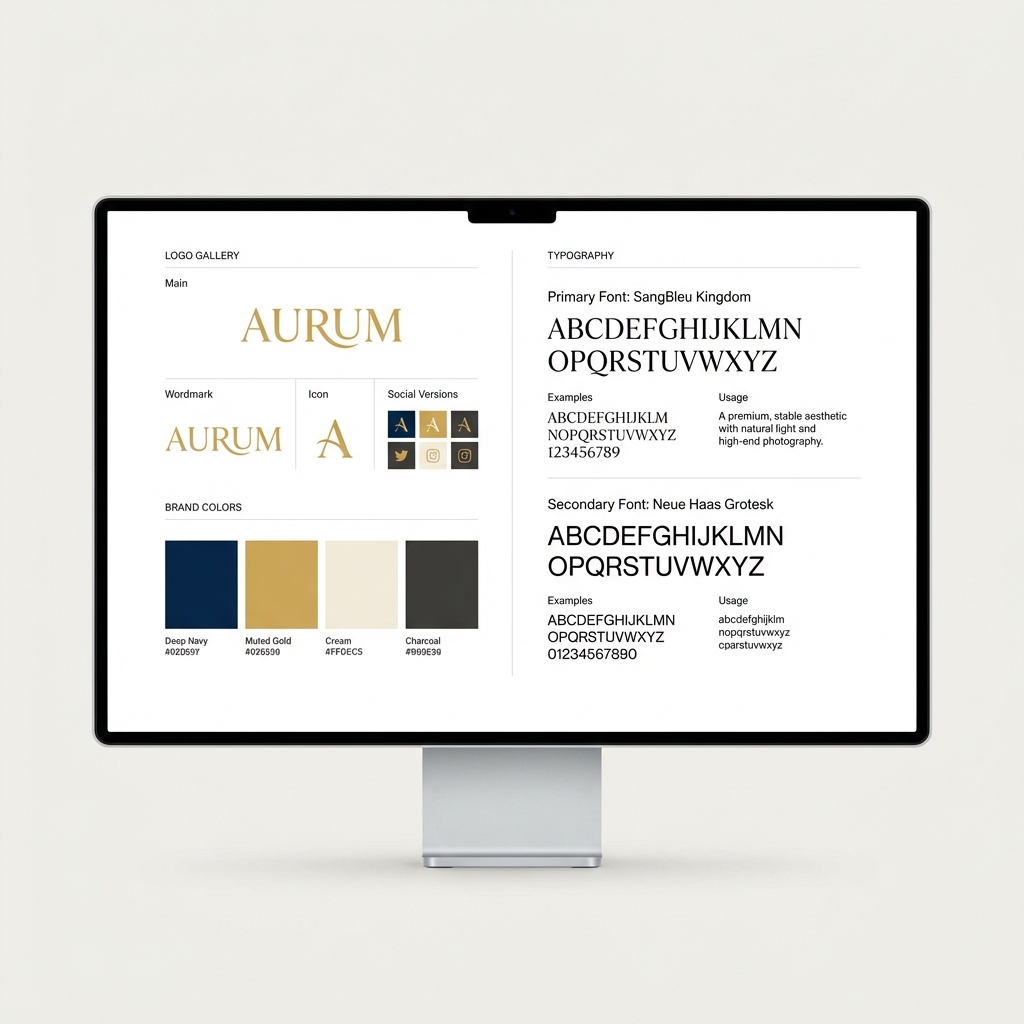
What's Included?
📐 Logos & Overlays
Upload your high-res logo (PNG or SVG recommended). Once added to a video, you can:
- Scale it to any size.
- Position it precisely via drag-and-drop.
- Adjust Opacity to create a subtle watermark.
🎨 Brand Palette
Store your primary and secondary hex codes. These will appear as "Quick Select" options in the editor's color picker.
🔠 Custom Fonts
Go beyond the default library. Upload .ttf or .otf files to ensure your captions match your official brand typography.
Saving Templates
If you've spent time designing the perfect look, save it as a Template. Applying a template to a new video will instantly set the font, colors, logo placement, and aspect ratio.
Note: Brand Kit features are available on Pro and Agency plans. Upgrade here.
Next: Rendering & Exporting